Riding Late in Cairo? 8 inDrive Safety Features to Use Before You Get in the Car
Audio Trip Recording Cairo Transportation Cairo Travel Tips Driver Verification Getting Around Cairo indrive inDrive Egypt inDrive Safety Center Late-Night Rides Passenger Safety Ride-Hailing Apps Ride-Hailing Safety Safety Tips Share Your Ride SOS Button Taxi Safety Transportation in Cairo Trusted Contacts Women Travelling Alone Women's Safety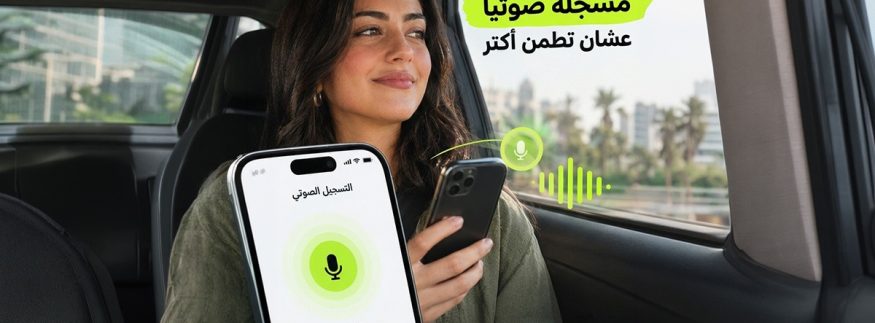
Cairo 360
Whether you’re heading home after dinner, leaving a late-night event or travelling across Cairo after a long day, getting a ride at night comes with a few extra considerations. Beyond finding a convenient ride and agreeing on the fare, knowing who is picking you up, checking your vehicle details and keeping someone informed about your journey can make a difference.
If you’re looking for a safe taxi at night in Cairo, it’s worth knowing which safety tools are available before your trip begins. With inDrive, passengers can access a range of ride-hailing safety features designed to provide more information, control and access to assistance throughout their journeys.
Here are eight inDrive safety features and practical tips to know before your next late-night ride.

1. Check the Driver’s Verification Badge First
Before accepting a ride, look for the verification badge displayed on the driver’s profile card. This badge indicates that the driver has passed the required document, face and vehicle verification checks, which are repeated regularly.
It’s a useful first check when comparing available drivers, giving you additional information before making your choice.
When to use it: Every time you book a ride, especially when travelling alone or late at night.
2. Share Your Ride with Someone You Trust
Sometimes, a quick update to a family member or friend is all it takes to let them know you’re on your way. With inDrive’s Share Your Ride feature, passengers can share their live trip details with someone they trust so that person can follow the journey.
When to use it: When heading home late, travelling alone or taking an unfamiliar route.
3. Add Up to Five Trusted Contacts
The inDrive app allows passengers to add up to five trusted contacts. Having these contacts set up in advance makes it easier to share trip information with the people you trust when needed.
These contacts can also be notified in an emergency if the passenger cannot be reached.
When to use it: Set up your trusted contacts before your next ride, so they’re ready whenever you need them.
4. Know Where to Find the SOS Button
If something feels wrong during your journey or you face an emergency, the inDrive SOS button provides access to emergency assistance. Through the emergency option, passengers can access the available emergency services and share their trip information with a contact.
Knowing where to find it before starting your trip means you won’t have to search for it in a stressful situation.
When to use it: Familiarise yourself with the SOS button before every ride, particularly when travelling late at night.
5. Keep Your Calls and Conversations Inside the App
The in-app chat and calling features allow passengers and drivers to communicate without exchanging personal phone numbers. Calls go through the app, keeping the passenger’s phone number private.
This is particularly useful when coordinating a pickup, clarifying your location or communicating with your driver without sharing personal contact details.
When to use it: Whenever you need to contact your driver before or during the trip.
6. Use Audio Recording as an Additional Safety Tool
inDrive offers an optional Audio Trip Recording feature in Egypt, which passengers and drivers can activate manually before or during a ride.
The feature does not record automatically or in the background. Users decide when to activate it, providing an additional way to document interactions if needed.
When to use it: When you want an additional layer of documentation during your journey. Familiarise yourself with the recording and privacy settings before using it.
7. Check the Driver’s Photo, Rating and Vehicle Details
Before choosing a driver, take a moment to review their profile. Check their name, photo, rating, trip history and vehicle information. Once the driver arrives, compare the vehicle details in the app with the actual car, paying particular attention to the registration plate.
Never get into a vehicle if its details don’t match the information displayed in your booking. If you notice a mismatch, contact support through the app.
When to use it: Before accepting a ride and again when the vehicle arrives at your pickup point.
8. Explore the inDrive Safety Center
The inDrive Safety Center brings several safety tools together in one place, including SOS, trusted contacts, Share Your Ride, audio recording and practical safety tips.
Passengers can access the Safety Center before their journey or during an active trip, making it easier to find the available tools when they need them. The app also provides access to customer support 24/7.
When to use it: Before your first ride and whenever you want to familiarise yourself with the available safety tools.
6 Extra Checks for Women Riding Alone at Night in Cairo
For women travelling alone, a few simple precautions can help make the journey more informed and organised. Before getting into the car, follow these six checks:
- Review the driver profile: Check the verification badge first, then confirm the driver’s name, photo, rating, trip count and vehicle details before accepting.
- Match the registration plate: When the car arrives, make sure its plate and vehicle details match what appears in the app.
- Turn on Share Your Ride: Share your live trip details with a trusted friend or family member.
- Keep communication in the app: Use in-app chat and calls instead of exchanging personal phone numbers.
- Choose your seat: Consider sitting in the back seat, fasten your seatbelt and keep your belongings with you.
- Know where the SOS button is: Familiarise yourself with its location before starting your journey.
A More Informed Way to Get Around Cairo
Choosing a ride is about more than the destination or the fare. Knowing which driver you’re travelling with, checking the vehicle, sharing your journey and understanding how to access assistance are all important parts of making informed travel decisions.
With the inDrive Safety Center and its range of in-app safety tools, passengers can take practical steps before and during their journeys, whether they’re commuting during the day or heading home after a late night in Cairo.
recommended
 City Life
Media Republic Expands into Saudi Arabia with Arsan Global Partnership
Advertising Agencies Arsan Global +7 City Life